Printable tournament bracket
Build the bracket, then export it as an image: print that PNG for the venue wall, or post it as a picture. Clean white background, blank score boxes, and a CSV run sheet if you prefer paper.
Editing is designed for desktop. On this screen you can view the bracket; open the tools below if you need to change something.
Everything stays editable: type your own team names, set scores and dates, then export the bracket as an image — a PNG in three sizes, no watermark.
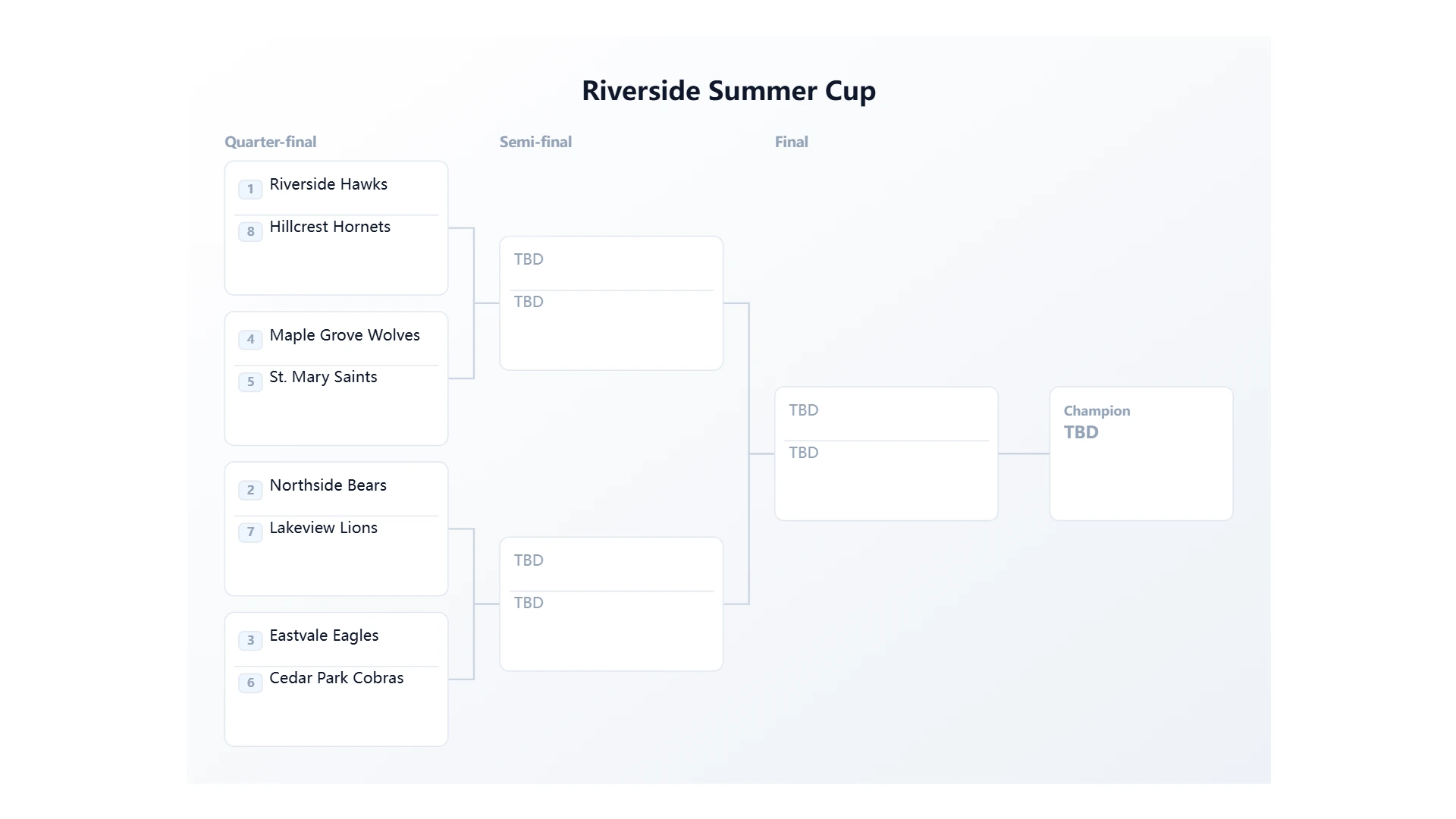
How to print a BracketBee bracket
There is no PDF export yet. Instead, export the bracket as an image — download the PNG at the size you need and print that file, or print the page straight from your browser. A PNG at 2× or 3× is sharper than most print PDFs and stays editable, so you can re-export a new version as results come in.
For large brackets, export landscape or portrait and use your printer dialog’s "fit to page" option. A4, A3 and Letter all work well from the landscape size.
Print an empty bracket to fill in by hand
Leave the scores empty and the bracket prints as a blank sheet: team names and matchups, with empty score boxes. Choose the paper background for a clean white look that saves ink.
If you would rather track the schedule on paper, open the schedule view and export the CSV — it lists every fixture by round with the dates and venues you entered.
Team names sized for print
Names wrap onto two lines instead of being cut off, and the layout scales with the number of teams, so a 32-team bracket stays readable on one sheet.
Frequently asked questions
- Can I export a PDF?
- Not yet — PDF export is on our roadmap. Today you can download a high-resolution PNG or print the page straight from the browser, which covers the same use case.
- What is the best size for printing?
- Landscape 1920×1080 is a good default for A4 and Letter. For A3 or a poster, export at 2× or 3× (up to 3240×5760 on the portrait size).
- Can I print a blank bracket for players to fill in?
- Yes. Do not enter any scores, pick the paper background, and export. The result is a clean sheet with empty score boxes.